.svg?fit=max&auto=format&n=9mgYzkCsWGfCgDGh&q=85&s=4fd670d691aa6a1a77dbfa0ed4830fb1)

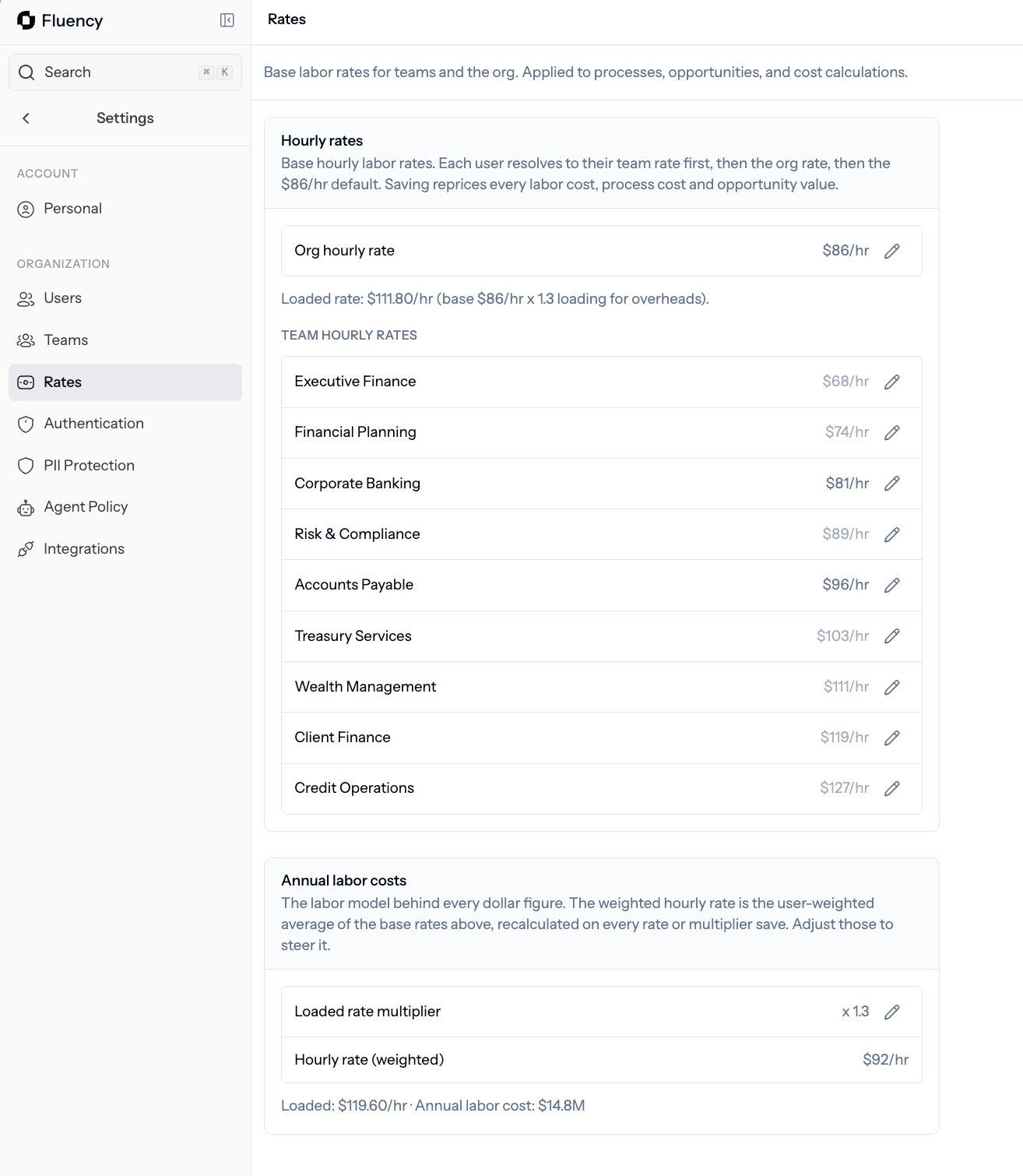
Rates: set the organization-wide hourly and loaded rate, plus per-team overrides Fluency uses to price time and cost savings.
Organization rate
Set one rate for the whole organization. Fluency uses it as the default for every team unless you override it.Team overrides
Some teams cost more per hour than others. You can override the organization rate for any team, and Fluency will use that number when it prices opportunities for that team. Use overrides when:- A specialist team (legal, engineering, clinical) costs materially more than the org average.
- A shared services or offshore team costs less.
- You want cost savings to reflect the real economics of each group.
What happens when you save
1
Enter the new rate
Update the organization rate or a team override.
2
Click Save
Fluency reprices every process, opportunity, and KPI using the new number.
3
Check Opportunities
Open the Opportunities view to confirm the new dollar figures look right.
Related
Opportunities
Where priced impact shows up.
Teams
Set rate overrides per team.
Users
See who is being measured.
Deploy the agent
Get activity flowing in the first place.