.svg?fit=max&auto=format&n=9mgYzkCsWGfCgDGh&q=85&s=4fd670d691aa6a1a77dbfa0ed4830fb1)

How an initiative comes to life
You don’t need to hand off a spec or start from a blank template. Fluency already knows the process, the systems it touches, and how your organization runs.1
Commit
Turn an opportunity into an initiative, or create one directly from the board with New Initiative.
2
Plan
Book a call with the Fluency team. They build the delivery plan directly on the live map behind the initiative.
3
Build and ship
Fluency owns the build end-to-end, moving the initiative through Planning → Building → Testing → Deployed.
The Initiatives board
Initiatives are laid out on a board, one card per initiative, grouped into columns by where they are in delivery.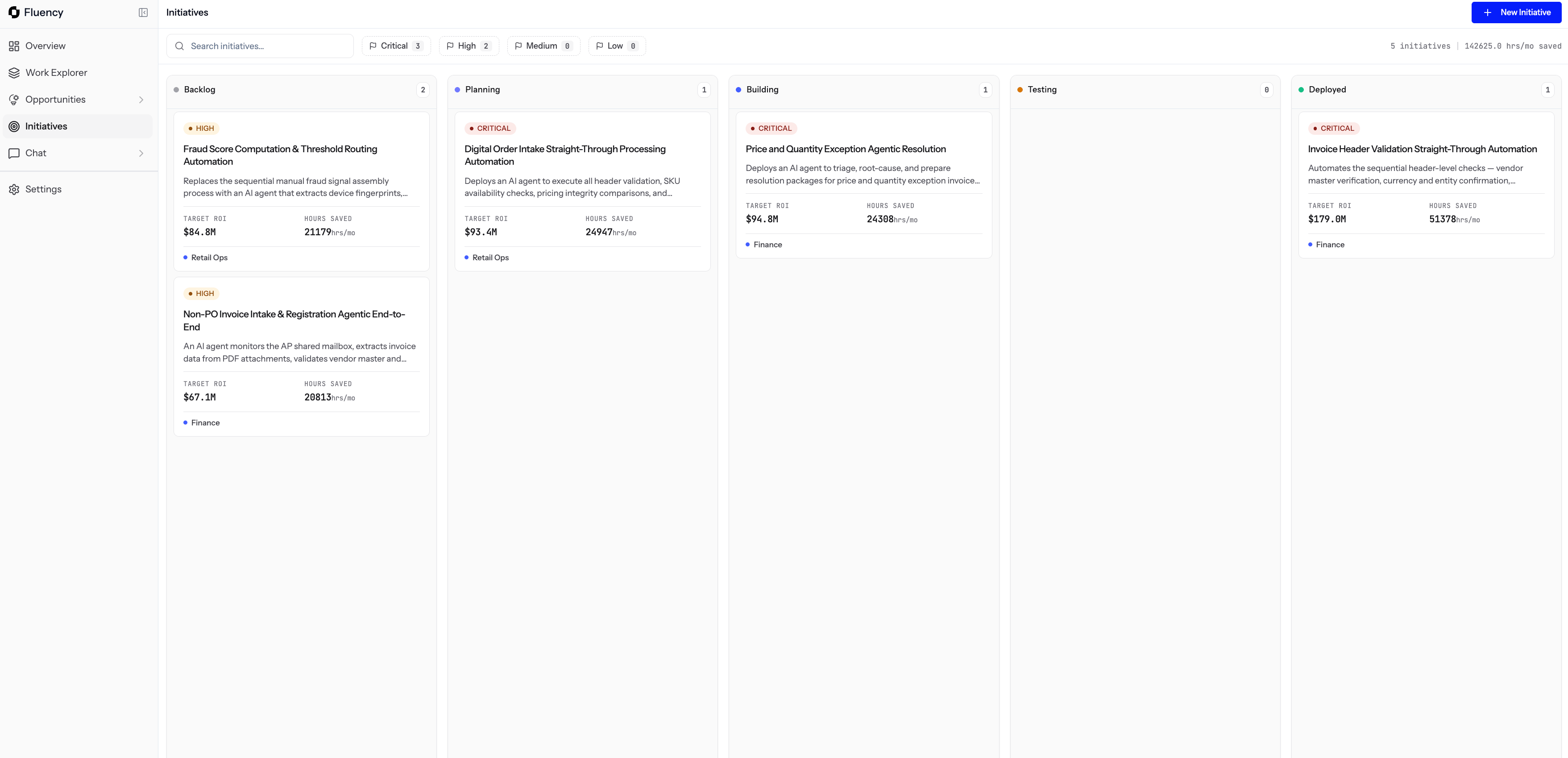
The Initiatives board, with columns for Backlog, Planning, Building, Testing, and Deployed
Use the search bar, the priority filter, and the totals at the top to see what’s in flight and what it adds up to.
What each card shows
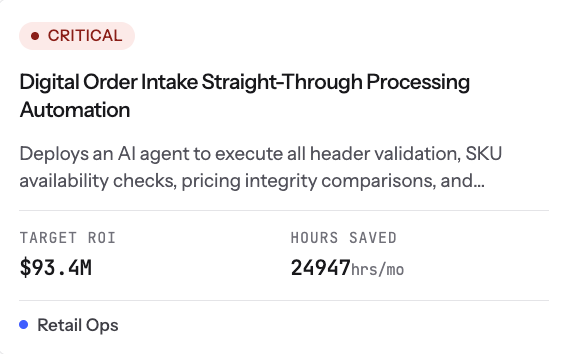
A single initiative card, close-up
- Priority and title.
- A short description of what will be automated.
- Projected ROI and hours saved.
- The team the initiative belongs to.
Opening an initiative
Clicking a card opens the initiative’s Overview and Implementation view: the automation type, priority, team, systems involved (each with a note on the part it plays), and the workflow diagram.This is the same case you saw on the opportunity, carried forward. Nothing here contradicts what you committed.
Milestones
Every initiative has a milestone checklist: the concrete, ordered plan for how the automation actually gets built.- Each milestone has a short description and, once done, the date it was completed.
- The Fluency team owns the build end-to-end and works the milestones with you until go-live.
- You can add your own milestones if there’s a step specific to your organization.

The Milestones checklist mid-flight, with Book a call available on the first milestone
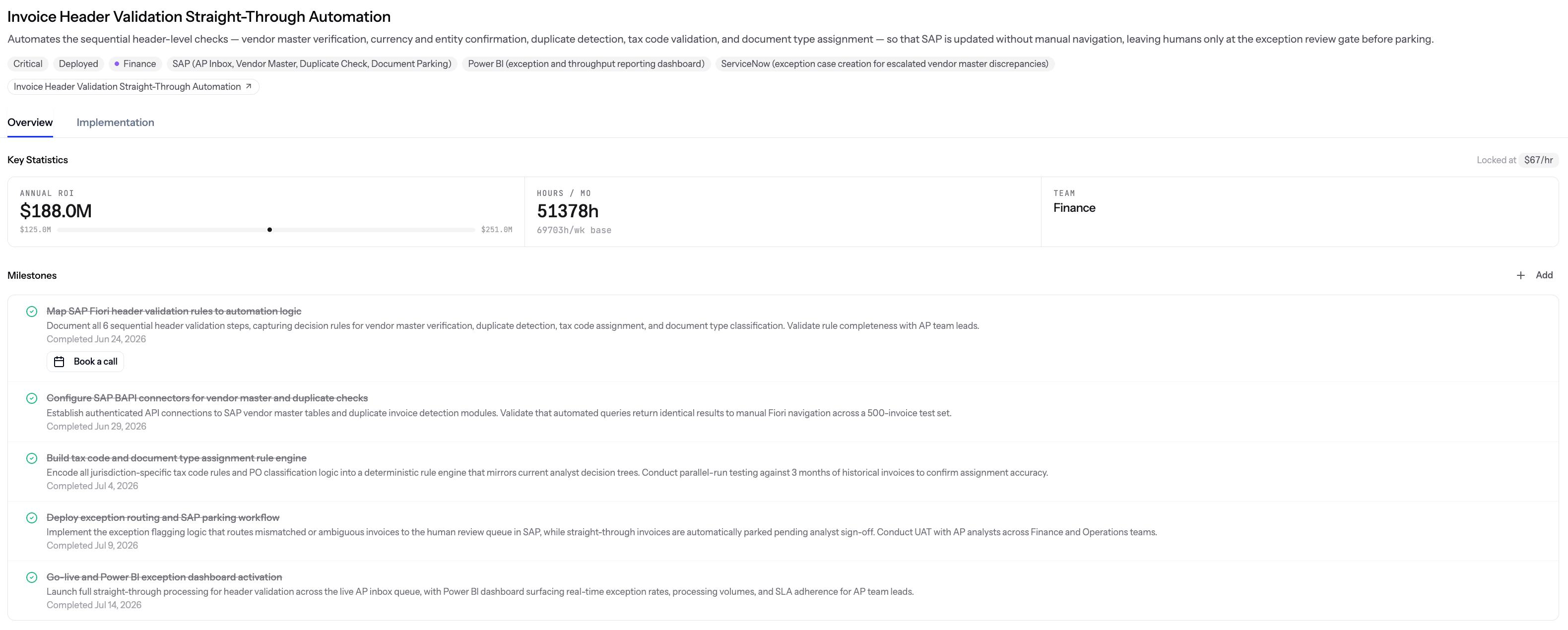
A Deployed initiative, with every milestone checked off
Built on a live map, not a snapshot
Most tools that map how work happens are frozen the moment they’re built. New products, changed fields, a system update, someone leaving the team, and the map no longer matches reality. Fluency doesn’t work that way.- The same live map that powers Work Explorer, Opportunities, and Initiatives keeps updating on its own as your systems, teams, and processes change.
- Anything built from it stays grounded in what’s actually true in your organization right now.
- Once an automation goes live, Fluency keeps observing how it performs so drift gets caught early instead of discovered months later.
Why it matters
- One board that shows the full journey from committed idea to live automation.
- Every initiative traces back to real observed work, so nothing gets built on assumptions.
- Fluency owns delivery, so your team doesn’t need to spec, staff, or maintain the build.
Related
Opportunities
Where initiatives come from, and how candidates are ranked before you commit.
Work Explorer
The observed processes every initiative traces back to.
Enterprise Chat
Ask plain-language questions about the work behind an initiative.