.svg?fit=max&auto=format&n=9mgYzkCsWGfCgDGh&q=85&s=4fd670d691aa6a1a77dbfa0ed4830fb1)

How AI automation opportunities get created
You don’t need to nominate candidates. Fluency does it for you.Observe
Analyze
Refresh
The Opportunities list
The page opens with a Value × Feasibility matrix, and the same AI automation opportunities as cards or rows underneath.Key figures
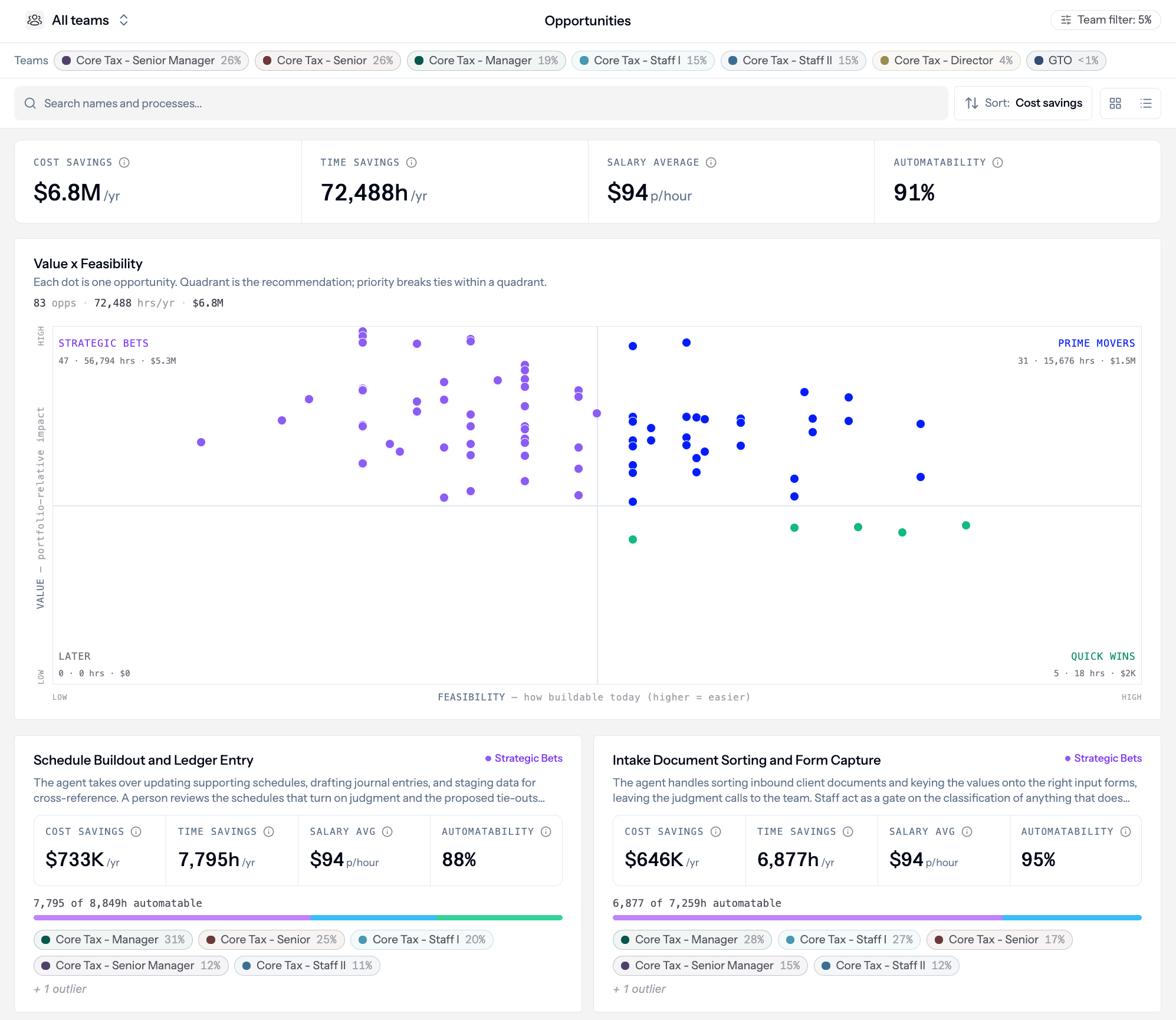
Headline KPIs at the top of Opportunities: cost savings, time savings, salary average, and automatability across the visible backlog.
Value × Feasibility matrix
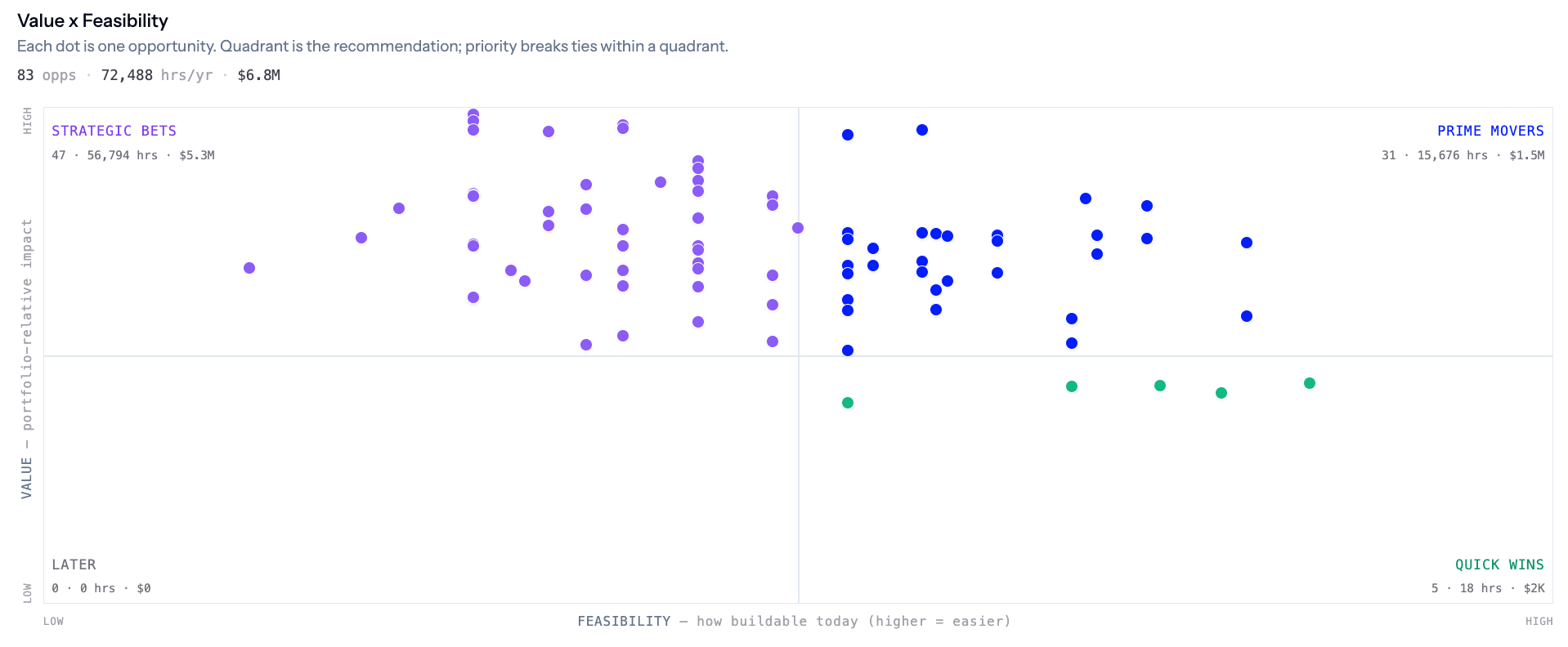
Value × Feasibility matrix: each dot is one AI automation opportunity, plotted by impact and how readily Fluency can deliver.
Cards vs rows
Toggle between Cards and Rows. You can sort (including by cost savings), filter by team badges (which shows the numbers aggregated by AI automation opportunities and specific steps touched only by that team), and search by name. Rows show rank, quadrant, automatable percentage, annual impact, hours per year, feasibility score, and a steps judged bar showing how many steps have an assessment.Opening an AI automation opportunity
Click any AI automation opportunity to open its detail page. You can get there from the matrix or from the list below it. The header has a short narrative summary, team badges (with each team’s share of the work), and a View process link back to Work Explorer.Opportunity analysis
Headline metrics for this AI automation opportunity: cost savings, time savings, salary average used in the model, and automatability.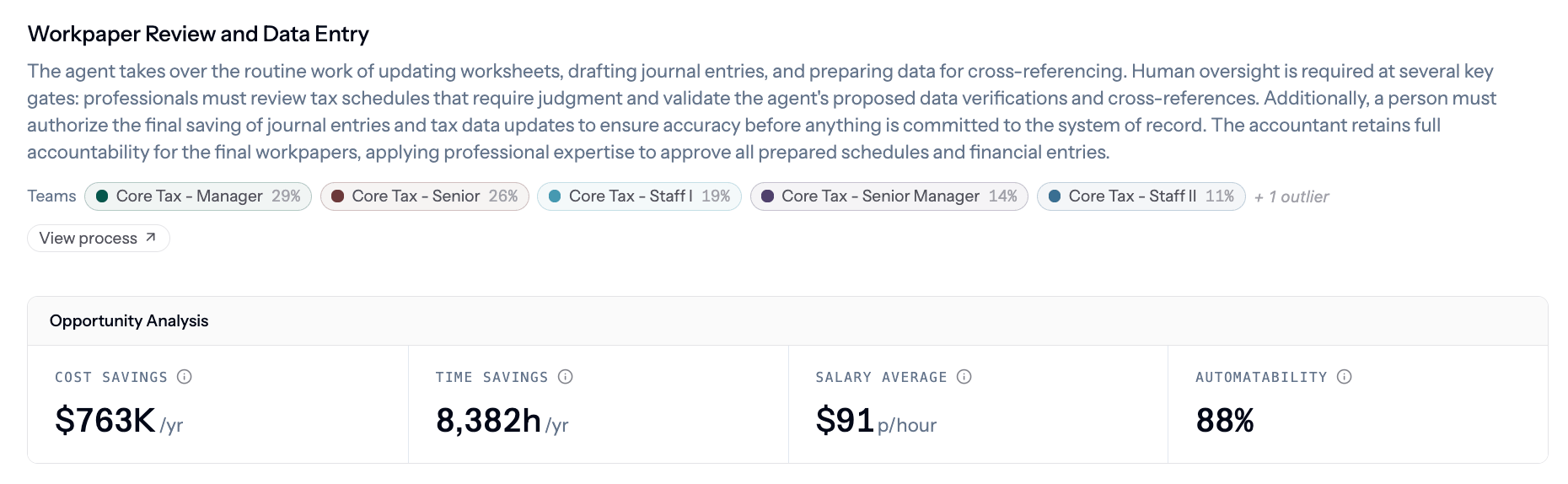
Opportunity analysis: cost savings, time savings, salary average, and automatability for this single AI automation opportunity.

Company-wide extrapolation: edit the headcount doing this work to scale the projection without changing observed executions.
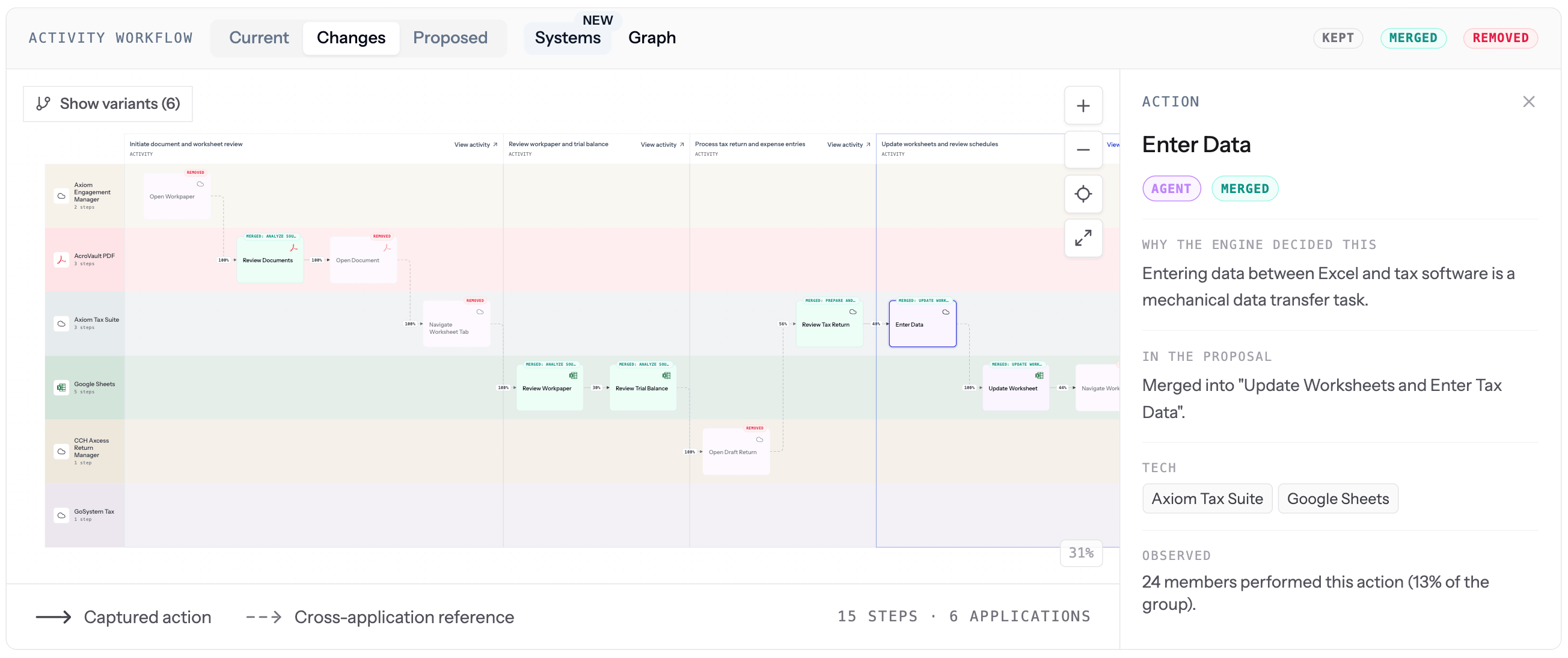
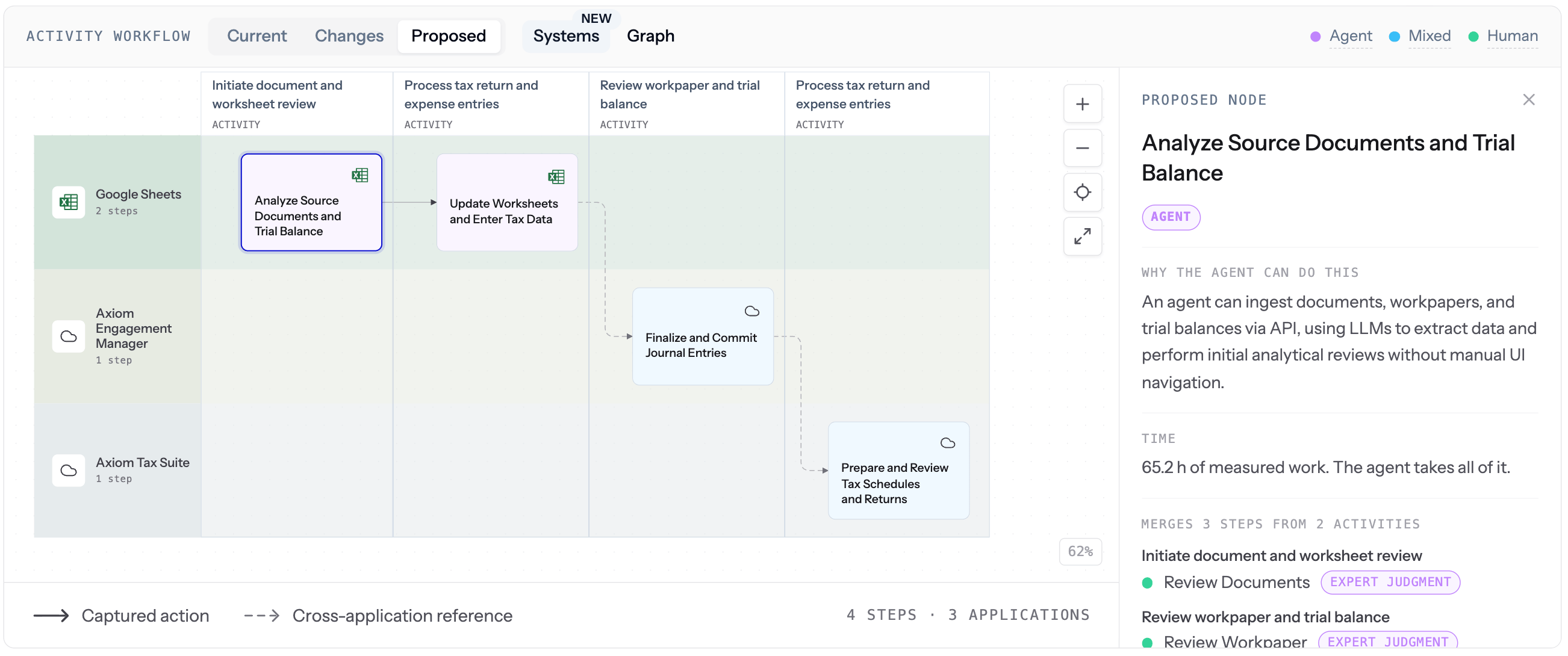
Activity workflow: Current, Changes, Proposed
Under Activity workflow, three tabs let you compare states. Each tab supports Systems or Graph view, plus Show variants.- Current
- Changes
- Proposed
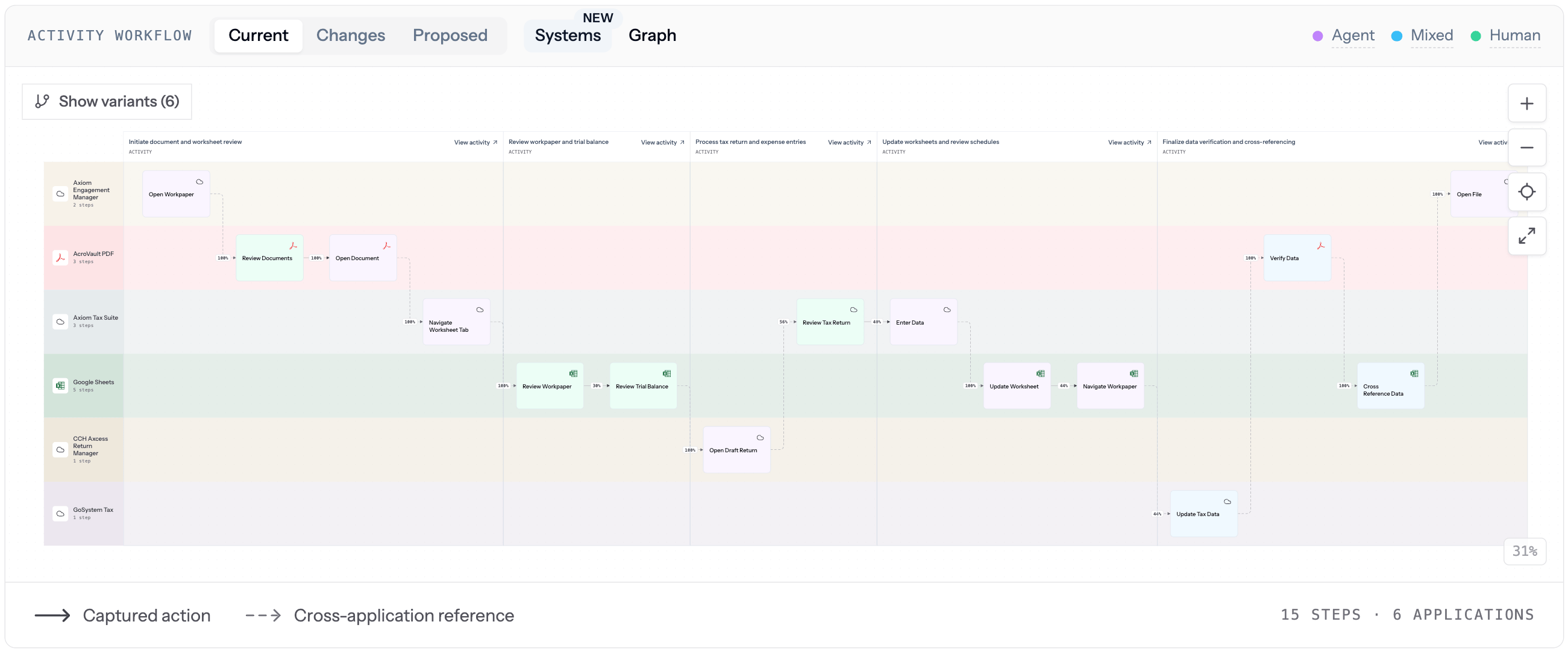
Current: the workflow as it runs today, straight from Work Explorer.
Step assessment and human checkpoints
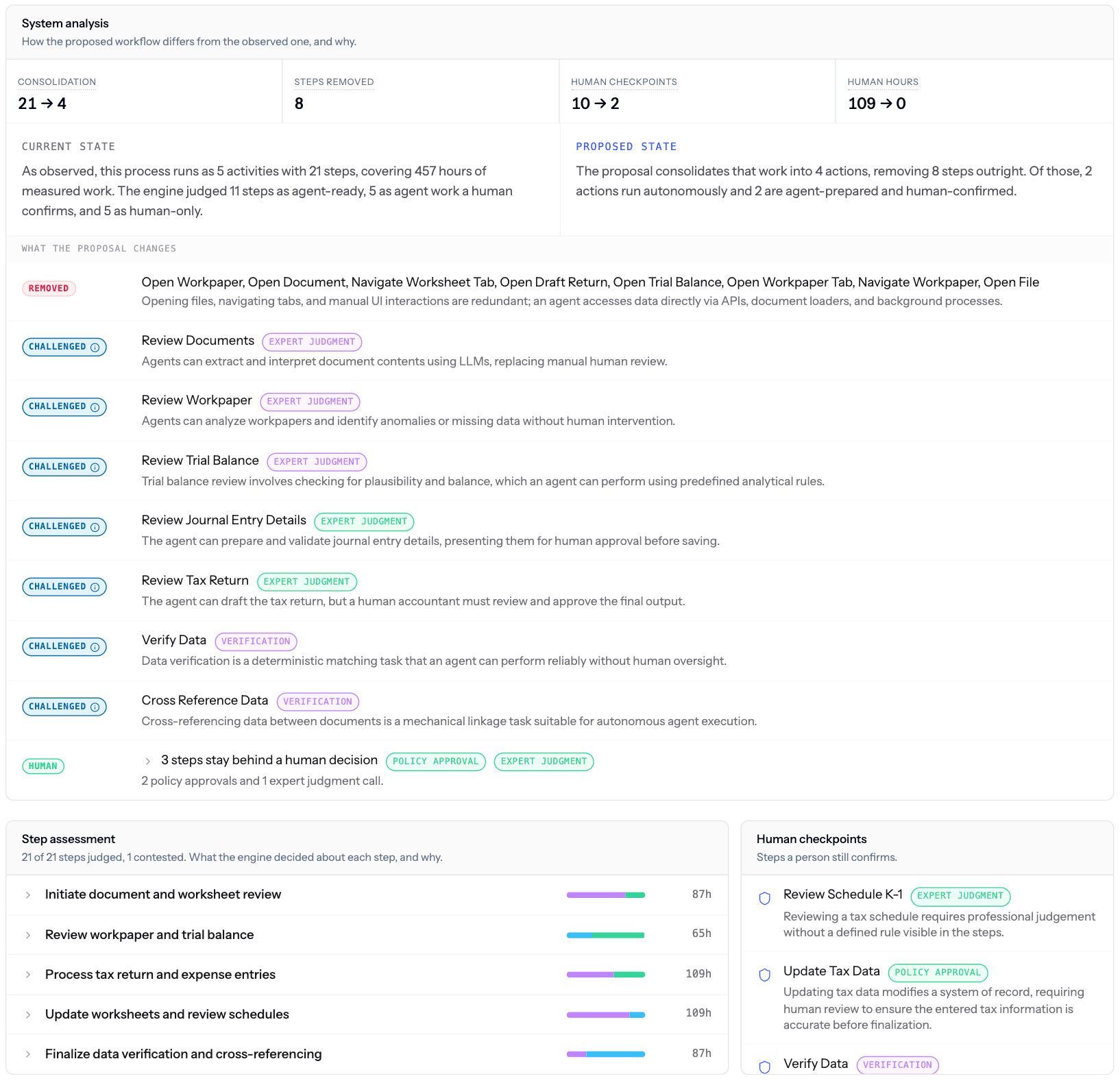
Step assessment and human checkpoints: how many steps have been judged, how many are contested, and which conditions still need a person.
Prioritization panel
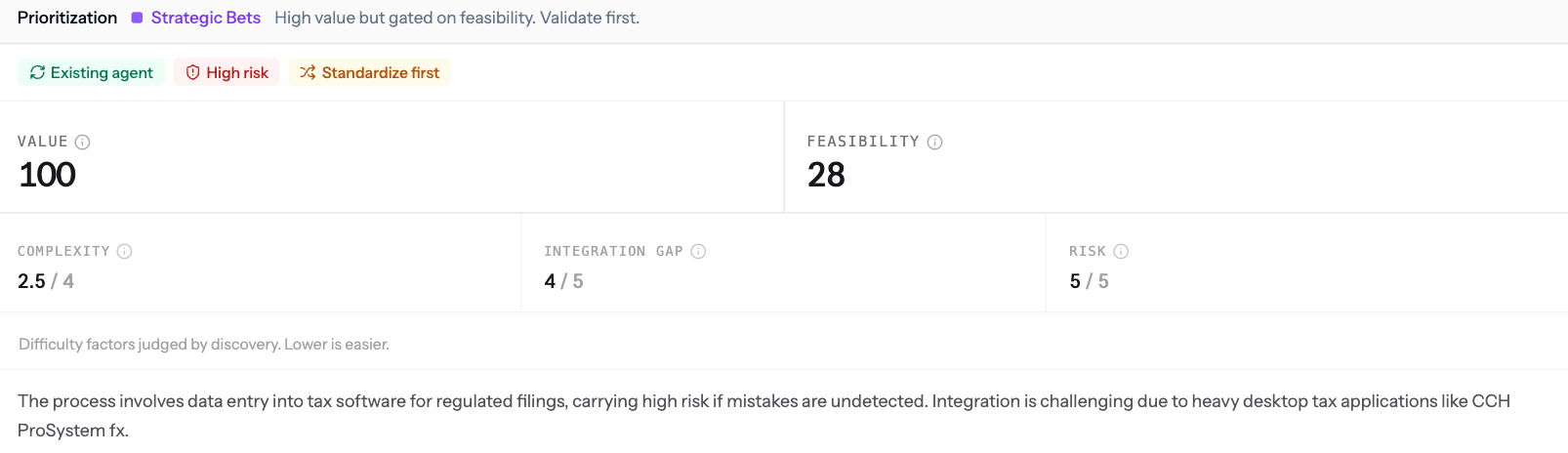
Prioritization: Value, Feasibility, Complexity, Integration gap, and Risk scores with a short rationale, plus opportunity ID and last-analyzed date.
Committing an AI automation opportunity
Committing an AI automation opportunity is how work moves into Initiatives for delivery.Why it matters
- One prioritized backlog of AI automation opportunities, grounded in real observed work instead of guesses or interviews.
- Every number ties back to steps and executions you can open and inspect.
- Value and feasibility are scored the same way for every AI automation opportunity, so leaders can compare apples to apples.